
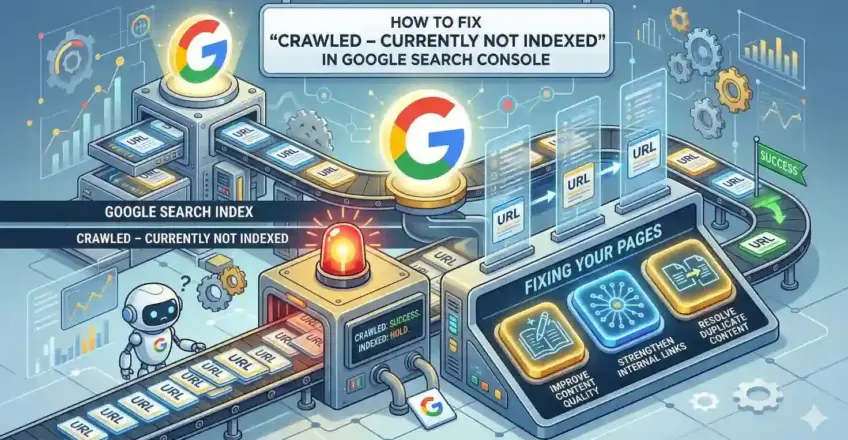

The rain was tapping on the glass balcony like it had something urgent to say, the kind of late-March shower that makes Kolkata feel both alive and a little melancholy. I sat there with my morning cha—strong, no sugar, the way I like it when thoughts are heavy—reading an email from a young blogger I’ve known since he was posting awkward travel pieces on his college blog. “Dada,” he wrote, “my posts get crawled but Google just won’t index them. Crawled – Currently Not Indexed everywhere in Search Console. I’m losing sleep over this. What am I doing wrong?”
I could picture him—same look I had twenty years ago when my first manuscript came back rejected, the sting of “not right now” feeling personal. Most people treat this status like a death sentence. It isn’t. It’s Google saying, “I came to your house, I looked around, but I don’t think I want to keep a photo of this room in my family album… yet.”
Here’s what we’re going to unpack today, the way I’d explain it over adda if you were sitting across from me on that worn sofa:
- What “Crawled – Currently Not Indexed” actually means (and why it’s not always bad news)
- The real-life reasons Google skips indexing even after crawling your page
- Step-by-step fixes that actually move the needle (no magic buttons, just honest work)
- When to panic (almost never) and when to just keep building
- A few stories from people who turned it around—and what they changed
If you stick till the end, you’ll walk away knowing exactly what to check tonight and what small changes might get those pages breathing in search results again.
First — What Does “Crawled – Currently Not Indexed” Really Mean?
Googlebot visited your page. It fetched the HTML, ran through the content, maybe executed some JavaScript, saw your images. Then it decided: not today.
This isn’t a technical block like robots.txt gone rogue or a noindex tag hiding in the head. Those usually show “Excluded by ‘noindex’ tag” or “Blocked by robots.txt.” Here, Google chose not to add it to the index.
From what I’ve seen (and from what folks at Google have said in forums and tweets over the years), the decision often boils down to:
- The page doesn’t feel helpful enough right now compared to what’s already out there
- It looks too similar to something else Google already has (duplicate or near-duplicate vibes)
- Your site as a whole is sending mixed signals about quality
- Crawl budget is tight and Google prioritizes stronger pages
It’s subjective, human-like judgment from a machine trained on billions of pages. Frustrating? Yes. But fixable.
Why This Happens — The Usual Suspects I’ve Seen in Real Websites
I’ve sat with site owners in coffee shops, scrolled through their Search Console on my laptop while the telebhaja seller shouted outside. Patterns repeat.
- Content that feels thin or doesn’t fully answer the searcher A 400-word post on “best biryani in Kolkata” when people want addresses, prices, wait times, photos, comparisons. Google crawls it, shrugs, moves on.
- Duplicate or near-duplicate pages eating each other Category pages, paginated archives, printer-friendly versions, or old vs new versions of the same article. Google picks one (or none).
- Weak internal linking — the page feels orphaned No one links to it from important pages. Google thinks: if your own site doesn’t care much, why should I?
- Overall site quality signals are low Too many low-value pages, slow load times, lots of ads above the fold, outdated design. Google lowers trust in the whole domain.
- Technical niggles that make the page less appealing Bad mobile experience, broken images, structured data errors, slow server response.
Here’s a quick table of what I check first when someone shows me their report:
| Issue I Suspect | Where to Look in GSC / Tools | Quick Diagnostic Question |
| Thin / low-value content | URL Inspection + live test | Does this page beat the top 3 results? |
| Duplicates | Coverage report + site:yourdomain.com | Are similar pages competing? |
| Poor internal links | Link report or crawl tools (Screaming Frog) | How many clicks from homepage to this page? |
| Site-wide quality | Core Web Vitals, mobile usability | Load time? Annoying pop-ups? Freshness? |
| No real user intent match | Search the query yourself | Would YOU bookmark/share this page? |
How to Actually Fix It — My Go-To Steps (Do Them in This Order)
Don’t just “request indexing” on 200 pages and pray. That’s like shouting into a crowded tram. Fix the root first.
Step 1: Stop, breathe, and sample 10–20 affected URLs Go to Indexing → Pages → Excluded → Crawled – currently not indexed. Export the list or just click into a few. Use URL Inspection tool → Test Live URL. Look for errors/warnings. Ask: Is this page something I’d proudly show a friend?
Step 2: Make the content genuinely better (the part most people skip)
- Add real depth: examples, stories, data, screenshots, personal experience.
- Match search intent: informational? List? Comparison? Guide?
- Cut fluff. Add visuals. Make it longer only if it gets more useful. I once helped a food blogger rewrite 12 “best street food” posts. Added real visits, prices from last week, honest opinions (“this one burned my tongue but worth it”). Most got indexed in 2–4 weeks.
Step 3: Fix duplicates and send clear signals
- Use self-referencing canonical tags on the preferred version.
- 301 redirect or noindex the weaker duplicates.
- Consolidate similar posts into one strong pillar page.
Step 4: Strengthen internal links Link from high-authority pages (homepage, popular posts, category pages) to these ones using natural, descriptive anchor text. Think hierarchy: important pages get more links.
Step 5: Improve site-wide signals
- Speed up pages (compress images, good hosting).
- Fix mobile issues.
- Remove or noindex junk pages (tags with 2 posts, old paginated pages).
- Submit clean XML sitemap.
Step 6: After changes — validate & nudge In GSC → Pages report → click the issue → Validate Fix. For important pages, after real improvements, use URL Inspection → Request Indexing (but sparingly—once or twice per day max).
A Couple of Stories That Might Feel Familiar
Remember Arjun? Travel blogger, 150+ posts, most stuck in this status. We found 40% were near-duplicates of TripAdvisor pages. He rewrote the top 20 with his own photos, honest fails (“that homestay smelled like damp socks”), and personal itineraries. Linked them from his best-performing post. 70% indexed in a month.
Or Riya, small business site selling handmade sarees. Thin product descriptions. We turned them into mini-stories: fabric origin, how she dyes them at home, care tips. Added user photos. Internal links from blog posts about festivals. Traffic started trickling in.
When to Just Let It Go
Some pages aren’t meant to rank. Thin tag pages, admin areas, test posts. Let Google skip them. Focus energy on the 20% that matter.
And here’s the uncomfortable truth: sometimes the fix is accepting your site needs a broader refresh. Quality compounds. One strong page pulls others along.
The rain stopped while I typed this. The sky looks washed clean, like after a good cry. Your site can feel that way too.
Go open Search Console right now. Pick five pages. Ask them honestly: “What are you really offering the world?”
Fix that first. The index will follow when it’s ready.
You’ve got this. Drop me a line when something shifts—I’ll be here, cha in hand, reading.